Photography
Show the visible outcome and the less-visible work behind it.
Documentary and participatory: hands working, screens in context, small groups, feedback, concentration, the odd celebration. Natural colour, real rooms, no stock, no glowing robots. Every template in this kit works without a photo, so nothing below blocks launch — but the first Build Night is the shoot.
01 — Direction
- Documentary and participatory. Photograph what is actually happening: hands working, screens in context, small groups, feedback, concentration, the moment something finally runs.
- Show the visible outcome and the less-visible work behind it: sketches, notes, code, drafts, whiteboards, conversations, revisions, tools, people helping one another.
- Natural color and real environments. No heavy filters, no stock photography, no glowing robots, no AI-brain imagery, no neon 'tech' glow.
- People over logos. Members are the main characters on community channels. The wordmark is a signature, not the subject.
- Warm, grounded, earned. Amber and cream from the brand palette should come from real light (lamps, warm rooms, evening), not from overlays.
- Shoot wide enough to crop: every shot should survive a square, a 4:5 portrait, and a 16:9 banner crop.
- Only photograph people who have said yes. When in doubt, shoot hands, screens, and backs of heads.
02 — Shot list
| Shot | Used for | Notes |
|---|---|---|
| Professional founder headshot | Profile photo on Mat's personal channels, DEV.to profile, press, speaker pages. | Plain or softly blurred background, natural light, chest-up, looking at camera. Neutral or warm. No crossed-arms LinkedIn pose. Shoot both square and 4:5. |
| Casual founder photo | Founder introduction post, About page, story intros. | Mat in the actual Build Night space or a coworking room, mid-conversation or mid-explanation. Candid, not posed. One with a laptop, one without. |
| Working at computer | Build-in-public posts, educational posts, DEV.to covers. | Over-the-shoulder with the real site or real code on screen (check for secrets and private data first). Notebook and pen in frame. Shoot one where the screen is readable and one where it is not. |
| Teaching / mentoring | Educational and mentor-invitation posts, Get Involved page, event announcements. | Mat or a mentor at someone's screen, pointing, explaining. Whiteboard or the practical-lesson slide visible. Consent from everyone in frame. |
| Community / collaboration | Event recaps, welcome posts, Facebook cover, hero images. | Small groups of two to four working together, pairing on one laptop, the whole room from the back while people work. Wide enough for a 1200x630 crop. |
| Project screenshots | Project showcase, success stories, build-in-public. | Real screenshots, unfinished parts included. Crop to the part that matters. Add nothing except a thin cream frame if needed. Get the member's yes on what is shown. |
| Event photos | Recaps, reminders, future announcements, stories. | Per Build Night: the room before people arrive, introductions, anyone teaching, people working (hands and screens), anyone showing their work, the commitments board or sticky notes, one group photo of consenting attendees at the end. |
| General background library | Quote posts, story backgrounds, banners, filler for posts without a specific image. | Texture shots: notebooks, pens, cables, a desk lamp, sticky notes, a whiteboard with real diagrams, a window with evening light, the venue sign. No faces needed. Shoot at least 20 so templates never reuse the same three. |
03 — Consent
Say this at the start of every session810 chars
Read at the start of every event, then ask individually before any close-up:

"Quick note on photos. I take photos and sometimes short recordings at Build Night so members who missed a night can see what happened and so real work gets seen. If you would rather not be in any photo, tell me or [HOST NAME] now or any time tonight, no explanation needed, and I will keep you out of frame. I ask again before anything is posted. The same goes for quotes and screenshots of your project: nothing goes public unless you have said yes to that specific thing. Sticker on your laptop or name tag means 'no photos' and it will be respected."

For posting: send the exact photo, quote, or project description to the member and get a written yes (chat message is fine) before it goes anywhere. Keep the yes with the file.
Never turn a member's vulnerability into content without clear consent. Quotes and project details need a yes too — ask at the end of the session when you capture commitments.
04 — Screenshot & diagram style
Project screenshots go inside the navy frame so they match across DEV.to, the site, and social. Diagrams use hairline boxes, amber arrows, Archivo labels — no icons, no 3D.
Screenshot frame (tutorials / DEV.to)Download ↓
1600 × 1000 · PNGNavy frame with window chrome. Drop the real screenshot into the slot; watermark stays bottom-right.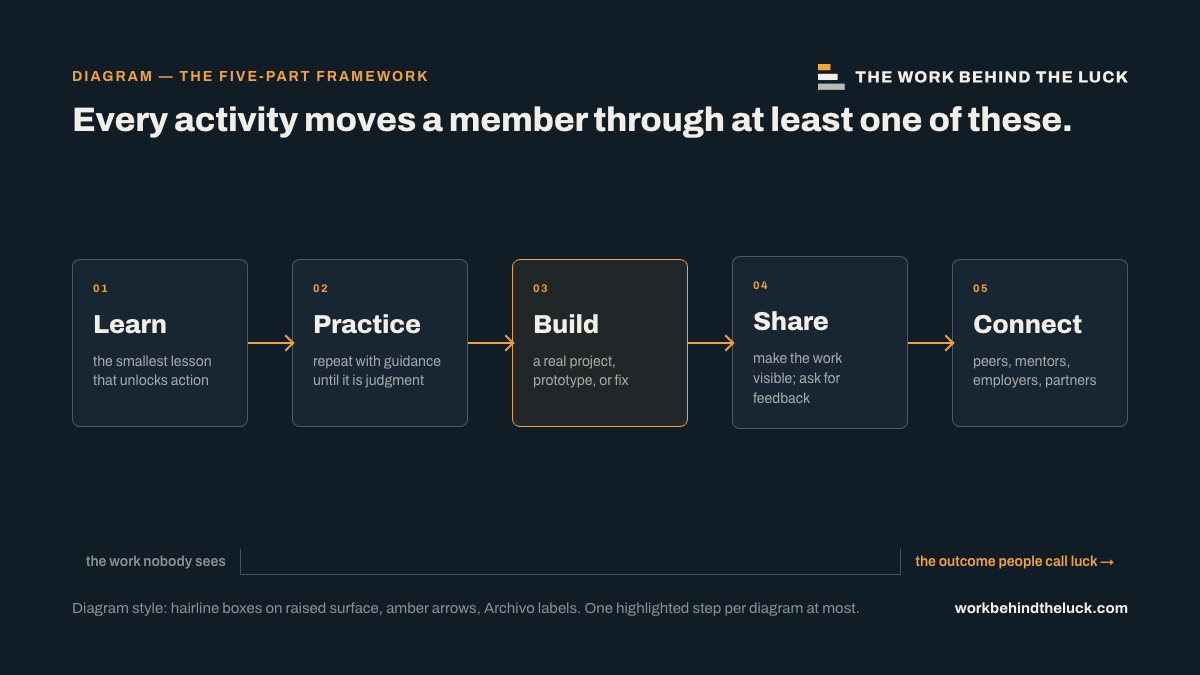
Diagram style — 5-pillar flowDownload ↓
1200 × 675 · PNGReference for diagrams in articles: hairline boxes, amber arrows, Archivo labels. Reuse the look, not the content.